
Monday, November 8, 2021
Proxmox 7 can’t boot to UEFI (Home Assistant and other UEFI images)
Found this at opportunity of installing Home Assistant – from HA OS qemu2 image – boot process just stops into UEFI Shell prompt:
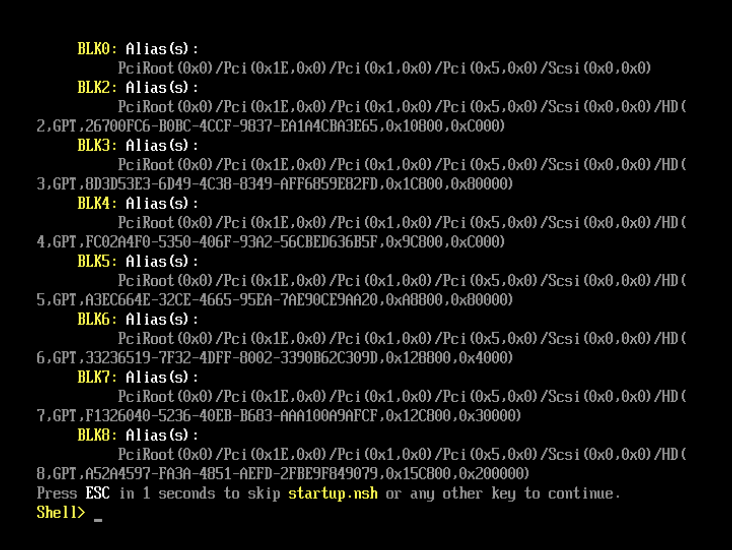
BLK0: Alias (s):
PciRoot (0x0) /Pci (0x1E,0x0) /Pci (0x1,0x0)/Pci (0x5,0x0) /Scsi (0x0,0x0)
BLK2: Alias (s):
PciRoot (Ox0) /Pci (0x1E,0x0) /Pci (0x1,0x0) /Pci (0x5,0x0) /Scsi (0x0,0x0) /HD (
2,GPT,26700FC6-BOBC-4CCF-9837-EA1A4CBA3E65,0x10800,0xC000)
BLK3: Alias (s):
PciRoot (0x0) /Pci (Ox1E,0x0) /Pci (0x1.0x0) /Pci (0x5,0x0) /Scsi (0x0, 0x0) / HD (
3,GPT,8D3D53E3-6D49-4C38-8349-AFF6859E82FD,0x1C800,0x80000)
BLK4: Alias(s):
PciRoot (0x0) /Pci (Ox1E,0x0) /Pci (0x1,0x0)/Pci (0x5,0x0) /Scsi (Ox0,0x0) / HD (
4, GPT,FCO2A4F0-5350-406F-93A2-56CBED636B5F,0x9C800,0xC000)
BLK5: Alias (s):
PciRoot (0x0) /Pci (0x1E.0x0) /Pci (0x1,0x0) /Pci (0x5,0x0) /Scsi (0x0,0x0) /HD (
5,GPT,A3EC664E-32CE-4665-95EA-PAE90CE9AA20,0xA8800,0x80000)
BLK6: Alias (s):
PciRoot (0x0) /Pci (Ox1E,0x0) /Pci (0x1,0x0) /Pci (0x5,0x0) /Scsi (0x0,0x0) /HD (
6,GPT,33236519-7F32-4DFF-8002-3390B62C309D,0x128800,0x4000)
BLK7: Alias (s):
PciRoot (Ox0) /Pci (Ox1E,0x0) /Pci (0x1.0x0)/Pci (0x5,0x0) /Scsi (0x0,0x0) / HD (
7.GPT,F1326040-5236-40EB-B683-AAA100A9AFCF,0x12C800,0x30000)
BLK8: Alias(s):
PciRoot (0x0) /Pci (0x1E.0x0) /Pci (0x1,0x0) /Pci (0x5,0x0) /Scsi (0x0 ,0x0) /HD (
8 ,GPT•A52A4597-FA3A-4851-AEFD-2FBE9F849079,0x15C800,0x200000)
Press ESC in 1 seconds to skip startup.nsh or any other key to continue.
Shell>
This seems to be a new behaviour in Proxmox 7.0 and it’s related to UEFI Secure Boot which is not fully implemented in Proxmox.
Resolution
VM Creation
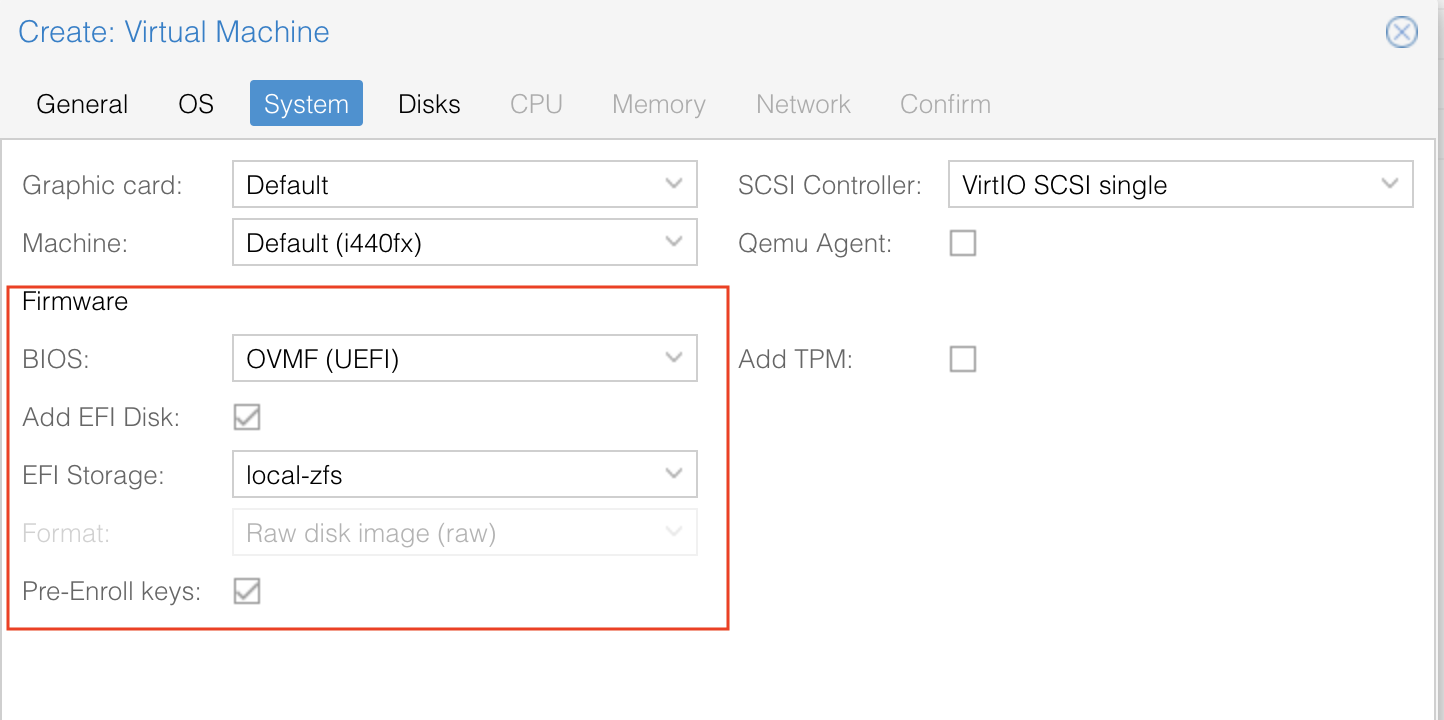
First of all – you need to create the VM with UEFI Bios:
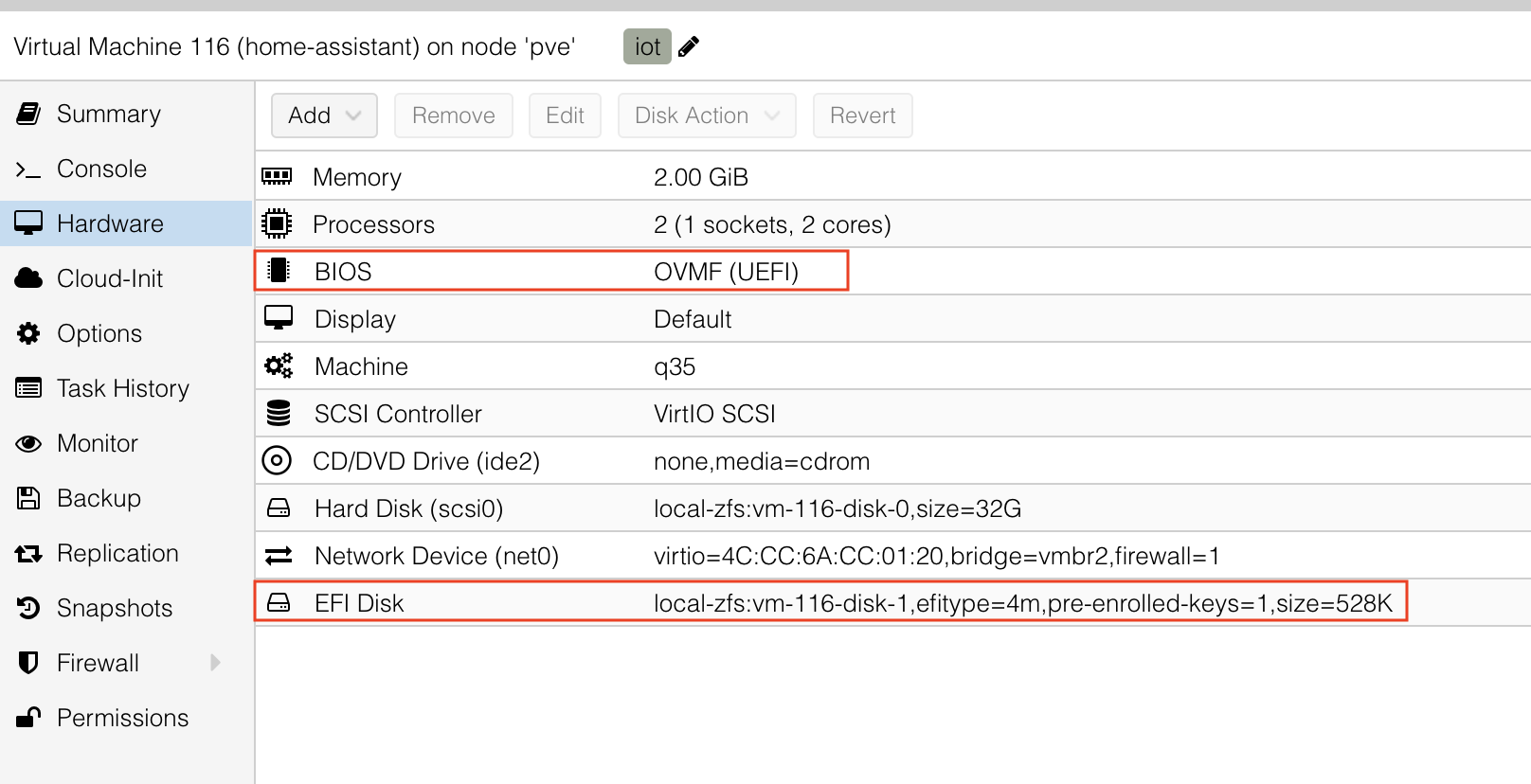
Once VM created, it should look more less like this:
Disable Secure Boot in UEFI Bios.
- Exit the shell by typing “Exit”
- Once entered Bios settings, go to Device Manager
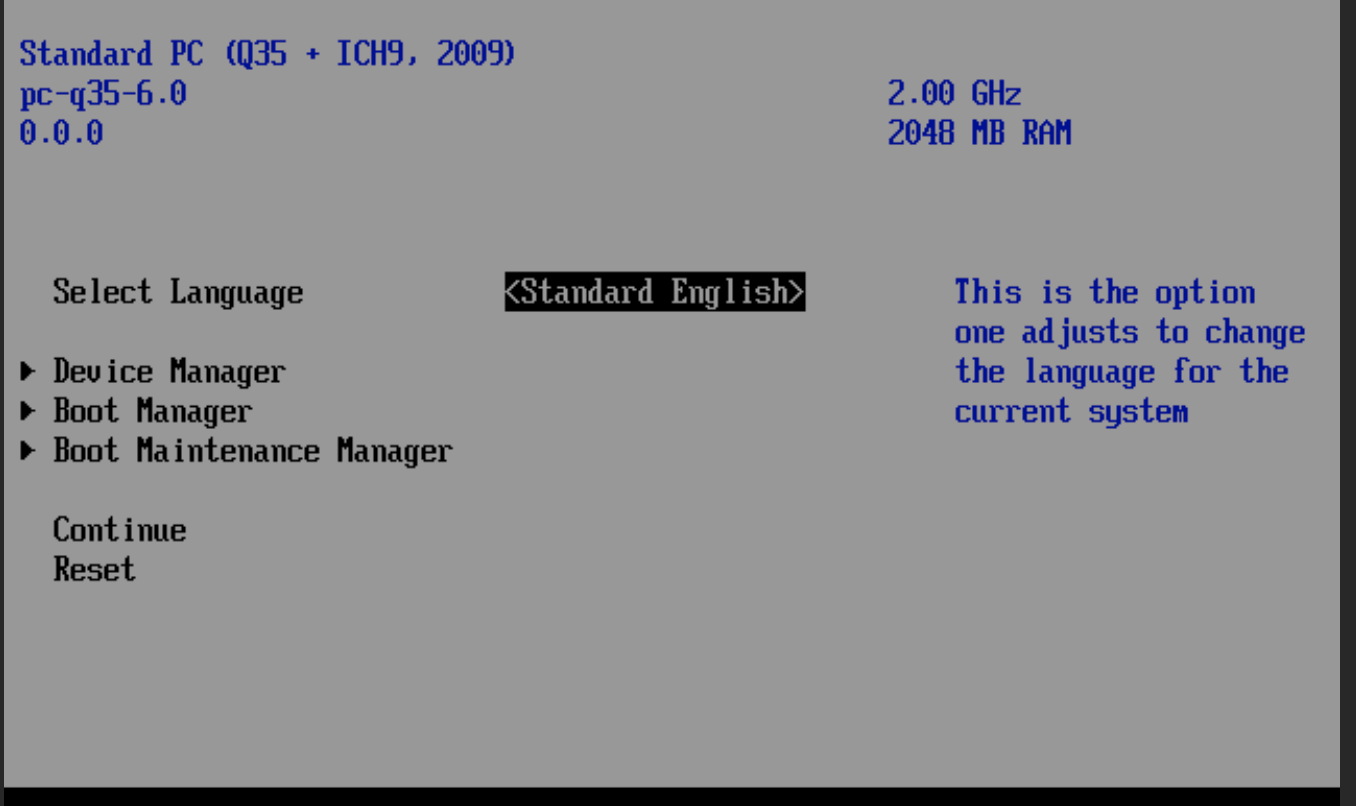
- In Device Manager, select Secure Boot Configuration
- Un-tick Attempt Secure Boot and accept “Configuration Changed prompt”
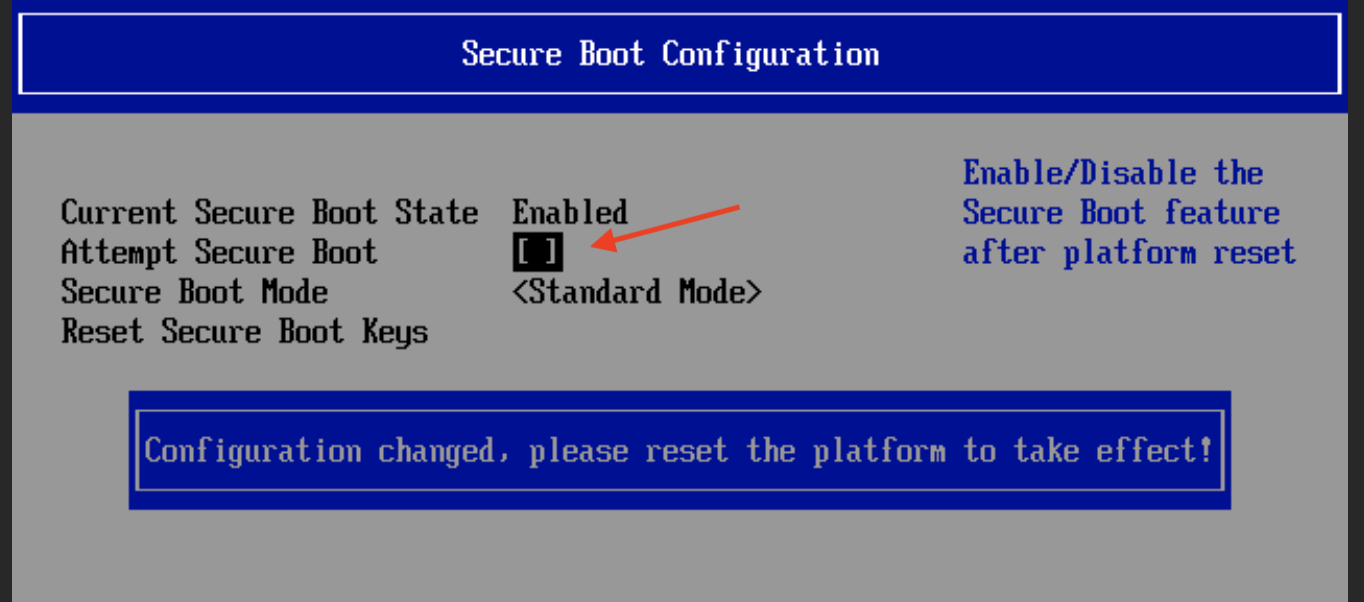
- Press Esc, Esc and in the main screen select Reset
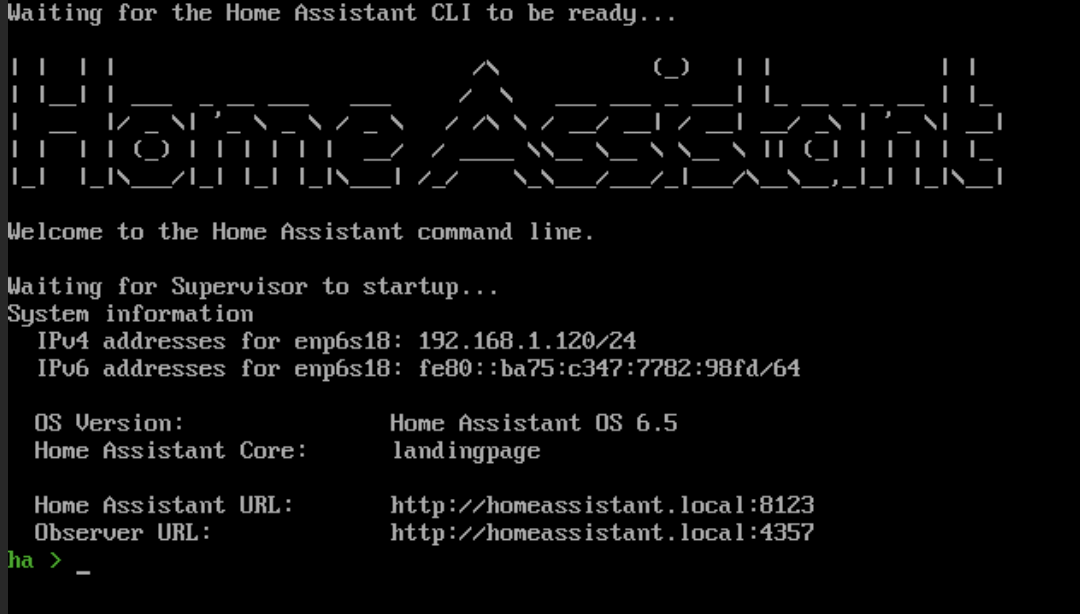
This should resolve the problem – not only for Home Assistant but also other UEFI based images
References
- PVE setup
root@pve:/etc# cat ./pve/nodes/pve/qemu-server/116.conf
agent: 1
bios: ovmf
boot: order=scsi0
cores: 2
efidisk0: qcow2-local-zfs:116/vm-116-disk-1.qcow2,efitype=4m,pre-enrolled-keys=1,size=528K
ide2: local:iso/kubuntu-19.04-desktop-amd64.iso,media=cdrom,size=1871280K
machine: q35
memory: 2048
name: home-assistant
net0: virtio=4C:CC:6A:CC:01:20,bridge=vmbr0,firewall=1
numa: 0
ostype: l26
scsi0: qcow2-local-zfs:116/vm-116-disk-0.qcow2,size=32G
scsihw: virtio-scsi-pci
smbios1: uuid=9e0805c5-16b9-4741-89b2-dd1d9704da39
sockets: 1
vmgenid: a12f1129-e002-48c4-b9c9-fe2835ad795b